I've never made a secret of it: I'm not the biggest fan of coding with AI. From the very beginning, with Copilot's inline autocomplete, my experience wasn't great. It always felt intrusive. Every suggestion yanked my focus and just got on my nerves. After that, I lost interest in having an AI assistant altogether, and my usage was limited to searching for information or generating small snippets of code.
More recently, I started exploring what it would be like to code with agents. I have a student license for GitHub Copilot Pro and started using it integrated with Zed to help me code. I'll admit, the experience was way better than back in the autocomplete days (which I still keep turned off to this day), but I still wasn't fully comfortable. It's hard to explain the feeling, but it's like working at the wrong layer of abstraction. My app's code is running in the browser, but the agent is in my IDE looking at static code. My application only truly exists at runtime. When it's running, it's alive. Querying the database, logging to the terminal, handling data in a dynamic, complex UI. The agent should be there, running inside my app, watching the UI being used, reading the logs, analyzing my database queries.
"Discovering" Tidewave
I follow the Elixir community whenever I can. I don't work with Elixir, but whenever I have free time, I try to use it (this blog is written in Elixir, actually). If I remember correctly, sometime last year, José Valim (Elixir's creator) launched a product called Tidewave, and since it was AI-related, I didn't pay much attention at the time.
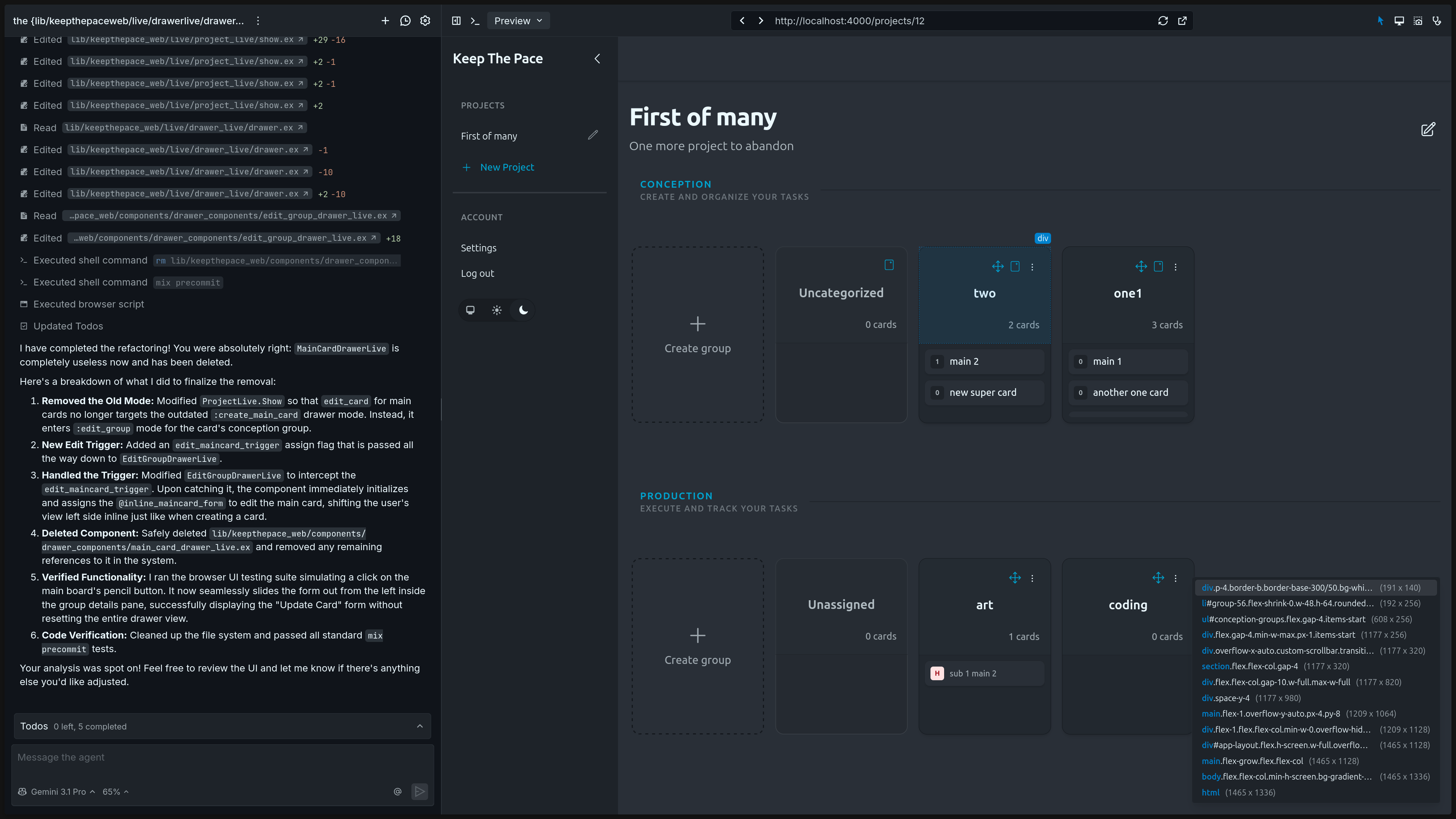
Fast forward to the present, while testing Copilot Pro, I remembered Tidewave. It's described as a tool that turns your agent into a "full-stack developer," running directly inside your application at runtime (you add Tidewave as a dev dependency). In practice, it works like an MCP server with a visual interface, letting your AI agent see what you see. The agent can navigate your app, visually identify errors, query the database, and test changes. All without you having to manually describe or copy-paste errors and interfaces.
After installing and trying out the trial version, I immediately felt the difference. The agent implemented small UI features I asked for and tested them right in the browser using JavaScript. It was able to read my logs at runtime, understand errors as they happened, and fix them. That weird feeling of working at the wrong abstraction layer disappeared. I liked it so much that I subscribed to the pro version the next day to keep experimenting.
My Workflow with Tidewave
I'm still in the experimentation phase, but I've already found a workflow that works for me. I set up the connection between Tidewave and GitHub Copilot. I've been using the Gemini 3.1 Pro model because it's the best top-tier model available under the pro subscription (Microsoft removed access to Sonnet and Opus in this tier).
I open my app's code in Zed and leave the app running in the terminal. In the browser, Tidewave gives me a chat window alongside my running app, and I use that chat to explain what I want. I can select elements in the DOM to give the agent more context and watch it test the app through the UI (like a real user) in real time. When it finishes the implementation, I go back to Zed to review the changes and refactor. In general, the AI writes decent code, but manually refactoring the code and its structure has to be constant, otherwise things can quickly turn into a big mess. Once everything is well-structured and clean, I commit the changes.
This has been my routine this past week whenever I've had free time. It's been enjoyable and fun. It feels like I'm finally finding a way to use AI without becoming alienated from my application's code. By refactoring manually and keeping an eye on the project's structure, I keep my coding skills sharp and my understanding of the application up to date.
I see people building things with autonomous agents, often running several of them at once. I don't think I'll ever be able to do that. I enjoy programming, understanding my application, and being part of the process. In these new times, coding without AI risks making you an anachronistic programmer, and I want to avoid that. But I have my limits. I will never give up being the most important part of the process.